
“Operate. Track. Improve. With Petra Business Suites, every part of your business moves forward — because what gets measured, gets mastered.”
Loading
“Operate. Track. Improve. With Petra Business Suites, every part of your business moves forward — because what gets measured, gets mastered.”
From organisational policy to position-specific leave allocation
Managing staff leave accurately is a core part of effective HR operations. Petra Business Suites provides a flexible, policy-driven way to configure leave types at the organisation level and then assign leave entitlements to staff positions—ensuring fairness, compliance, and clarity across your teams.
This guide walks you through the complete flow: from enabling leave types in Organisation Settings to assigning leave days to individual positions.
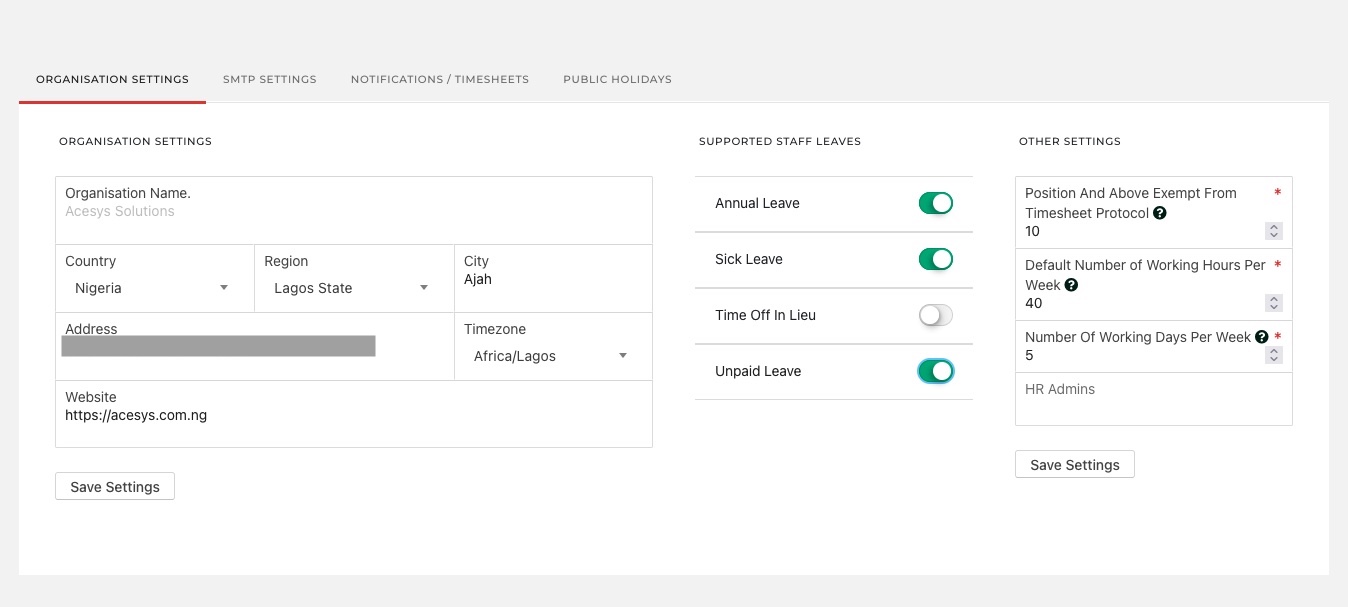

Before assigning leave days to staff or positions, you must first define which leave types your organisation supports.
Navigate to: Settings → Organisation → Organisation Settings
Under Supported Staff Leaves, you can toggle leave types such as:
Only enabled leave types will be available later when assigning leave entitlements to positions.
Why this matters: This step ensures Petra aligns with your internal HR policies and local labour requirements. It also prevents accidental assignment of unsupported or deprecated leave types.
Tip: You can update supported leave types at any time. Changes apply instantly across the system.
(See image: “navigator to manage positions.jpg”)

Leave days in Petra are position-based, not arbitrary per user. This ensures consistency—any staff member assigned to the same position follows the same leave structure.
Go to: HR / Admin → Positions → Manage Organisation’s Positions
On this page, you’ll see a list of all defined positions, including:
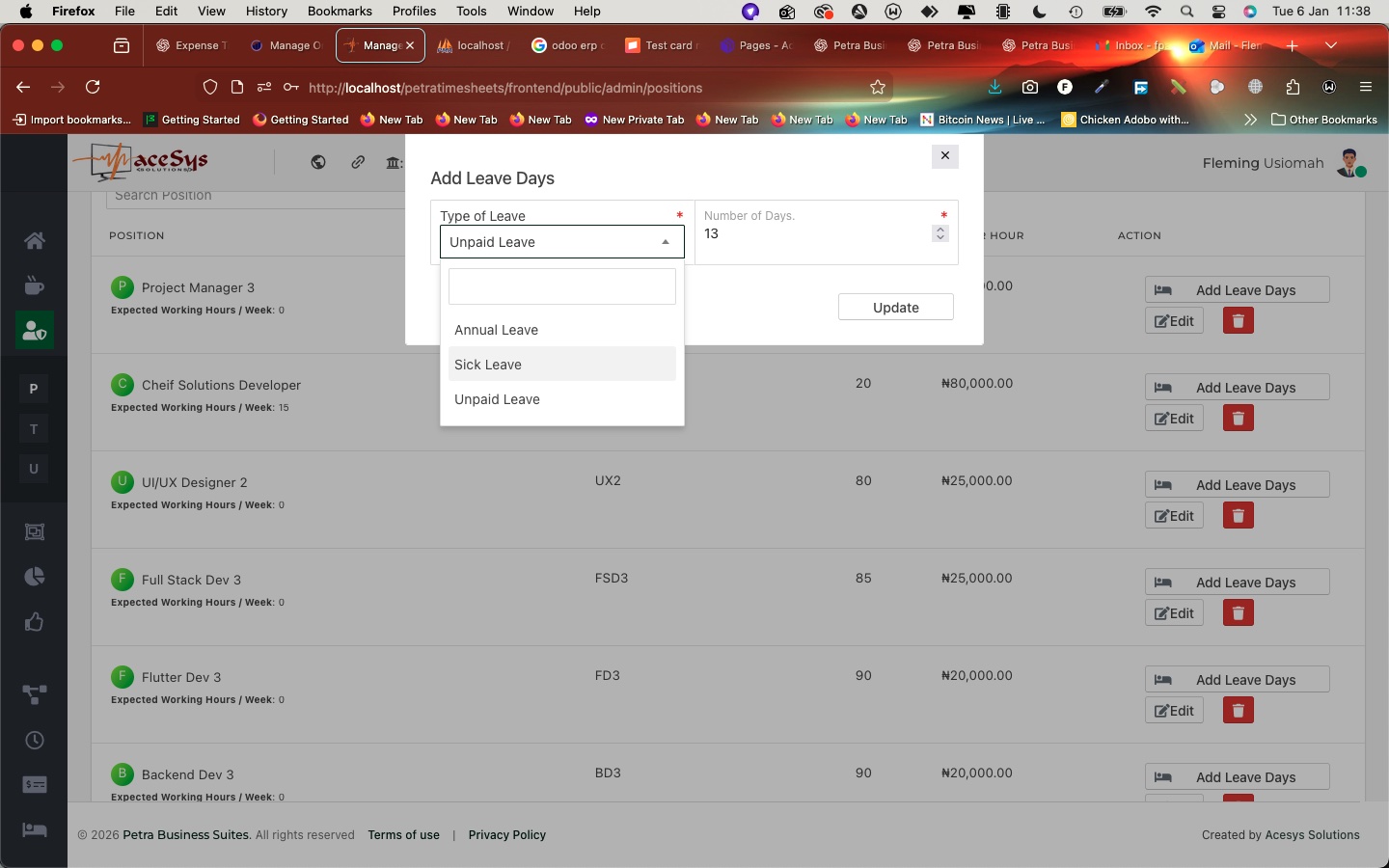

To assign leave days:
A modal window opens where you can:
Click Update to save.
What happens next?
• The leave entitlement is immediately linked to that position.
• All staff currently assigned to the position inherit the leave allowance.
• Future staff assigned to the position automatically receive the same entitlement.
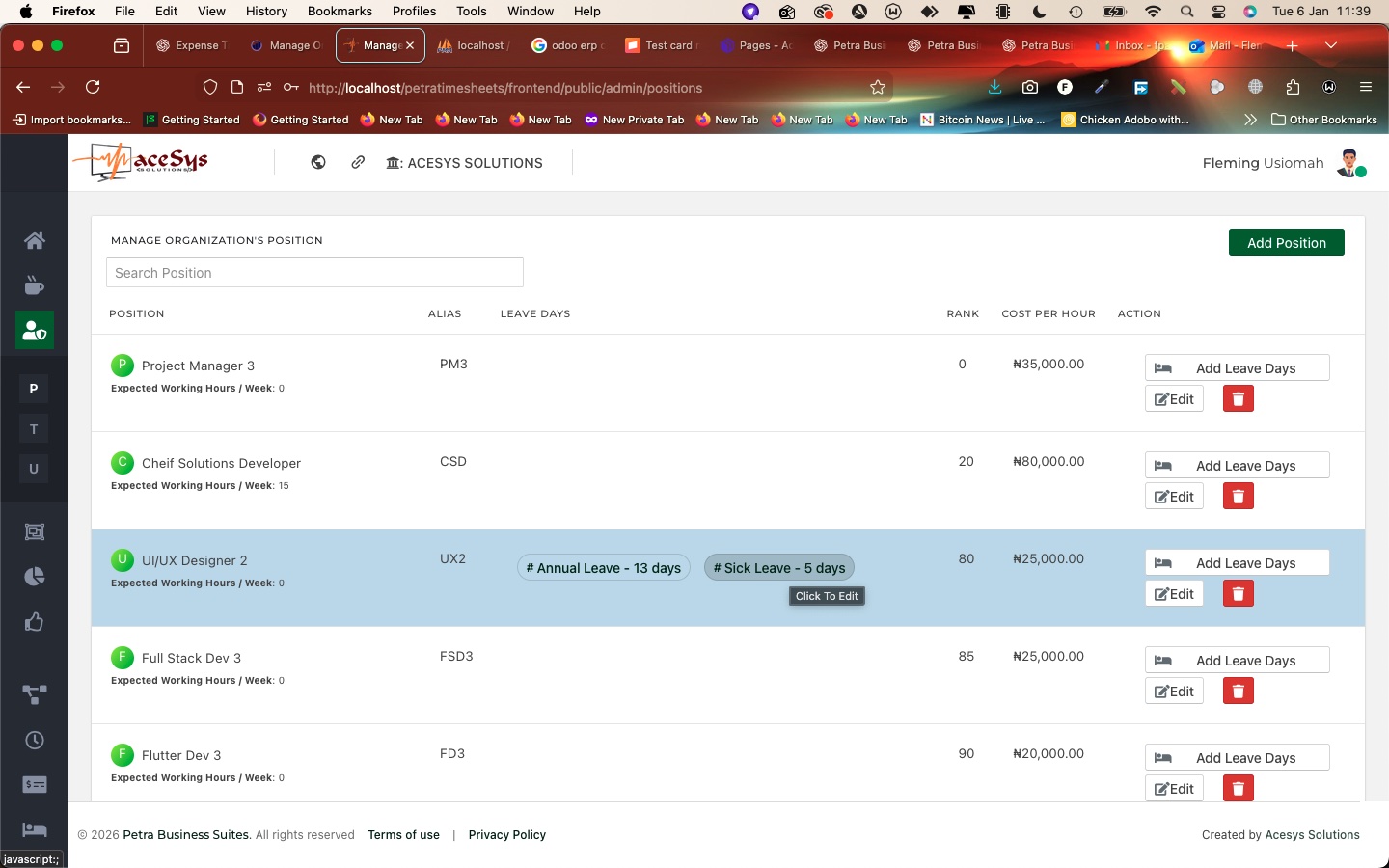

Once leave days are added, they appear as tags or badges directly on the position row (e.g., Annual Leave – 13 days, Sick Leave – 5 days).
You can:
This visual approach makes it easy for HR admins to audit leave structures at a glance.
Configuring leave types at the position level unlocks deeper automation across Petra:
Petra Business Suites makes HR leave management structured and intuitive:
With this approach, Petra ensures your leave management is fair, transparent, and aligned with real organisational roles— reducing manual errors and strengthening HR governance.
Next up: If you’d like, we can cover how staff request leave and how managers approve leave, end-to-end.


Book a walkthrough and we will show how Petra connects the ideas in this article to real work tracking.
Petra Support
Share your details so our team can keep the conversation connected if you come back later.