
“Operate. Track. Improve. With Petra Business Suites, every part of your business moves forward — because what gets measured, gets mastered.”
Loading
“Operate. Track. Improve. With Petra Business Suites, every part of your business moves forward — because what gets measured, gets mastered.”

Petra Business Suites provides a powerful and intuitive settings panel that allows organisations to tailor the platform to their specific operational needs. From branding to working hours, notifications, and holiday management, every configuration is designed to ensure accuracy, automation, and a consistent brand experience across your organisation.
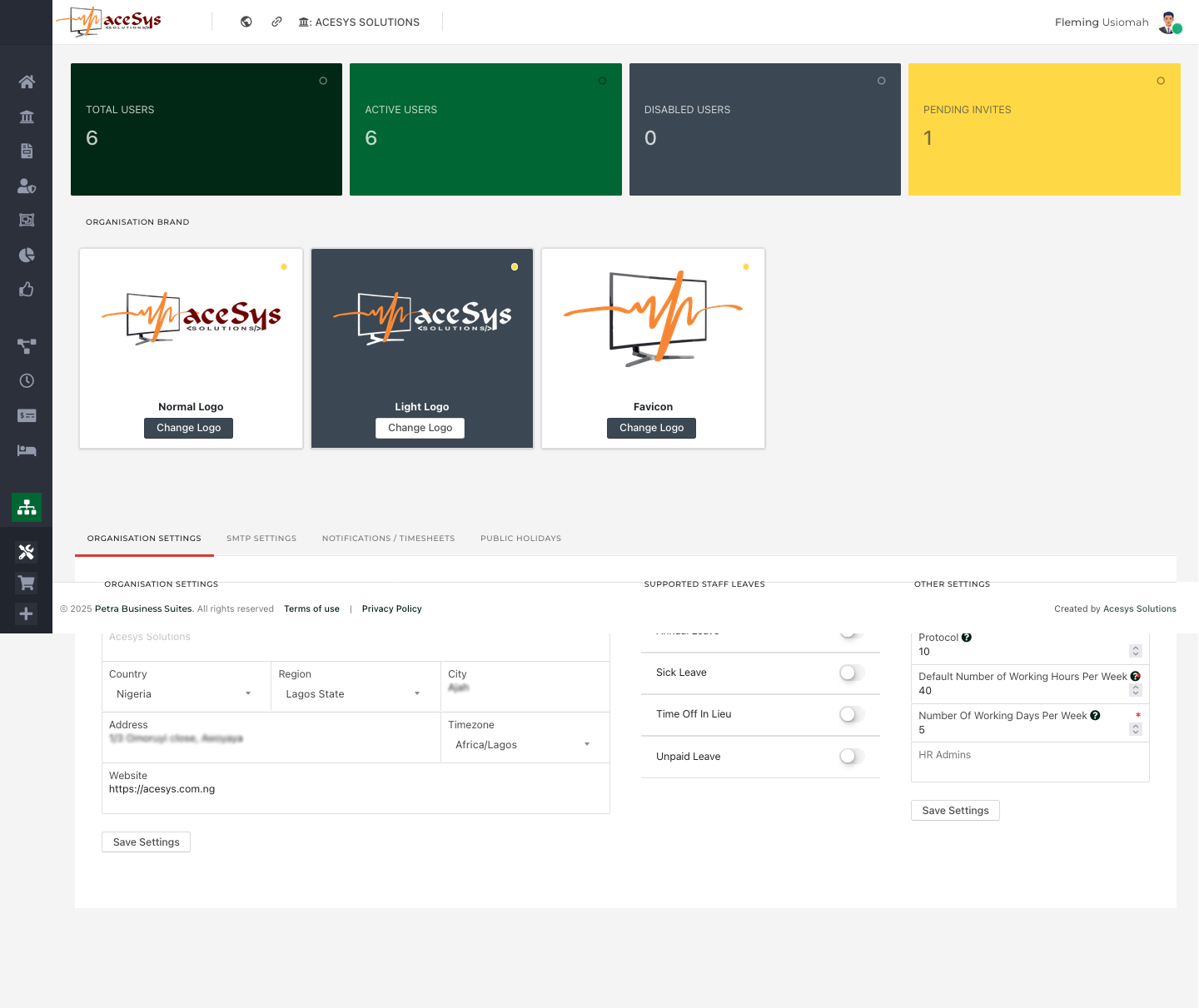
(See Image: Organisation Branding)
At the heart of every Petra deployment is the ability to personalize your workspace with your company’s identity. Under Organisation Settings, administrators can:
The section also includes general organisation details, such as:
This section ensures that time tracking, payroll, and leave computations align with your company’s policies and geographical specifics.
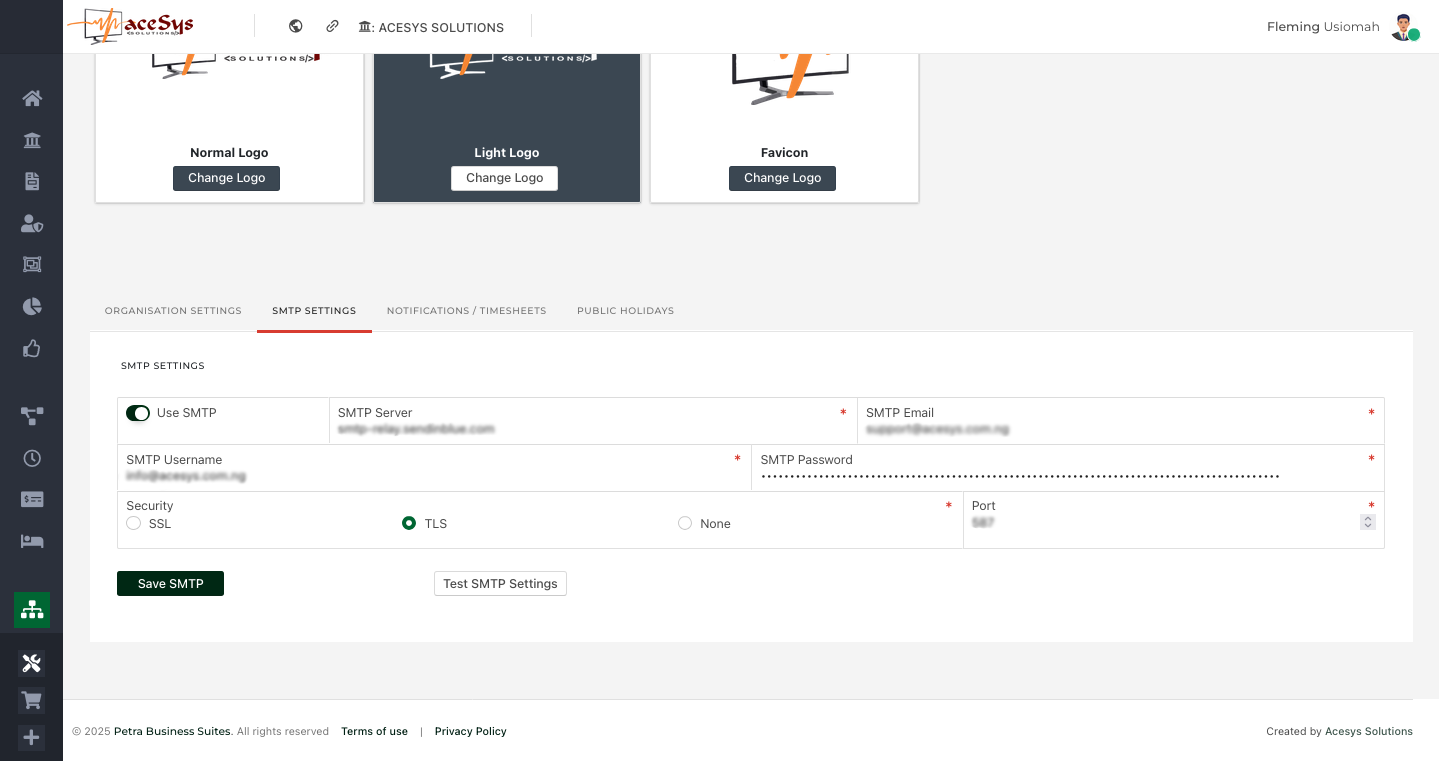
(See Image: SMTP Settings)
The SMTP Settings page allows organisations to manage how emails are sent from the system. By configuring SMTP credentials, Petra ensures that every outgoing message reflects your brand identity and domain authority.
Admins can:
smtp-relay.sendinblue.com)This ensures that system-generated emails such as invitations, notifications, and invoices are authenticated and delivered securely to recipients.
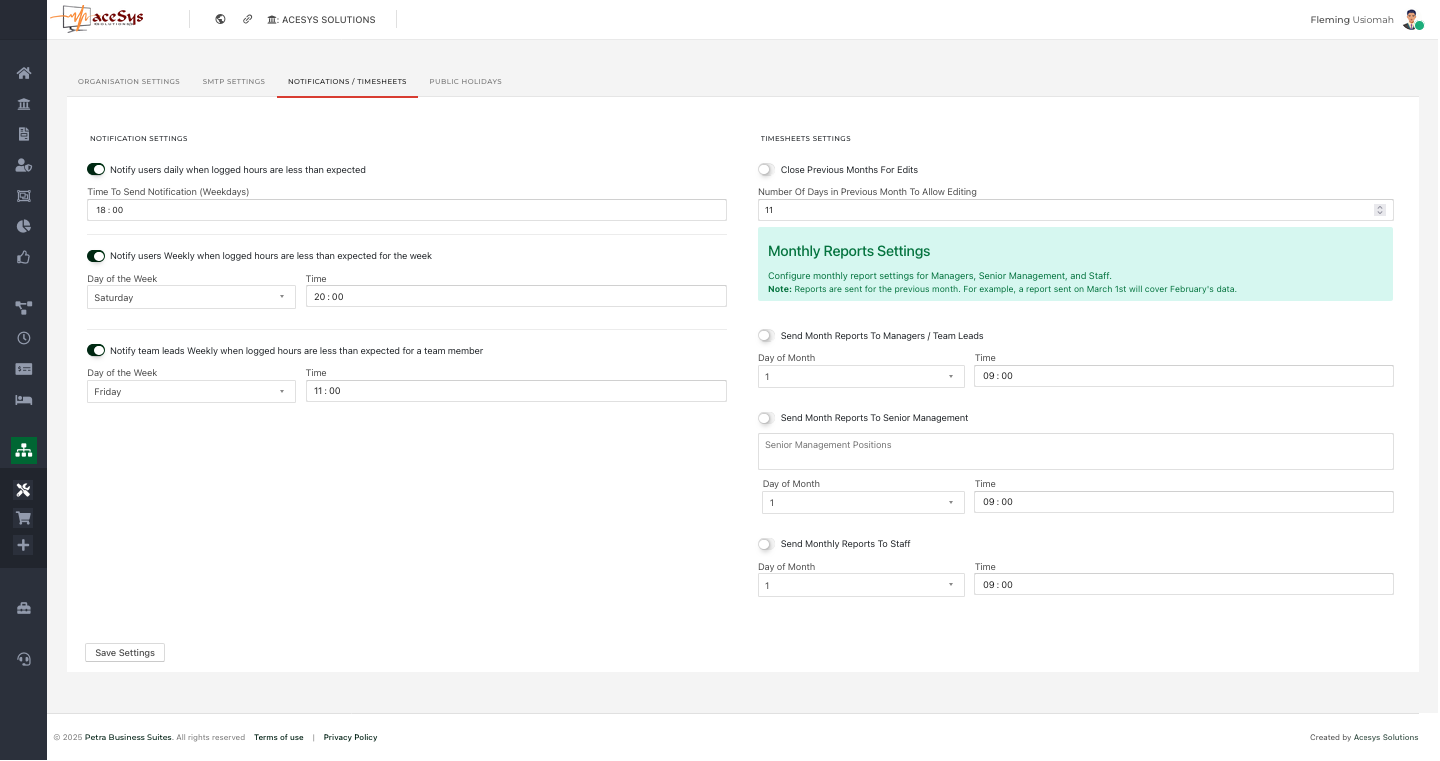
(See Image: Notification Settings)
Petra’s Notifications and Timesheets module helps maintain operational discipline through automated reminders and report scheduling.
Let you configure:
Allow organisations to:
These features automate performance monitoring and ensure timely submission of work records for seamless payroll and analytics.
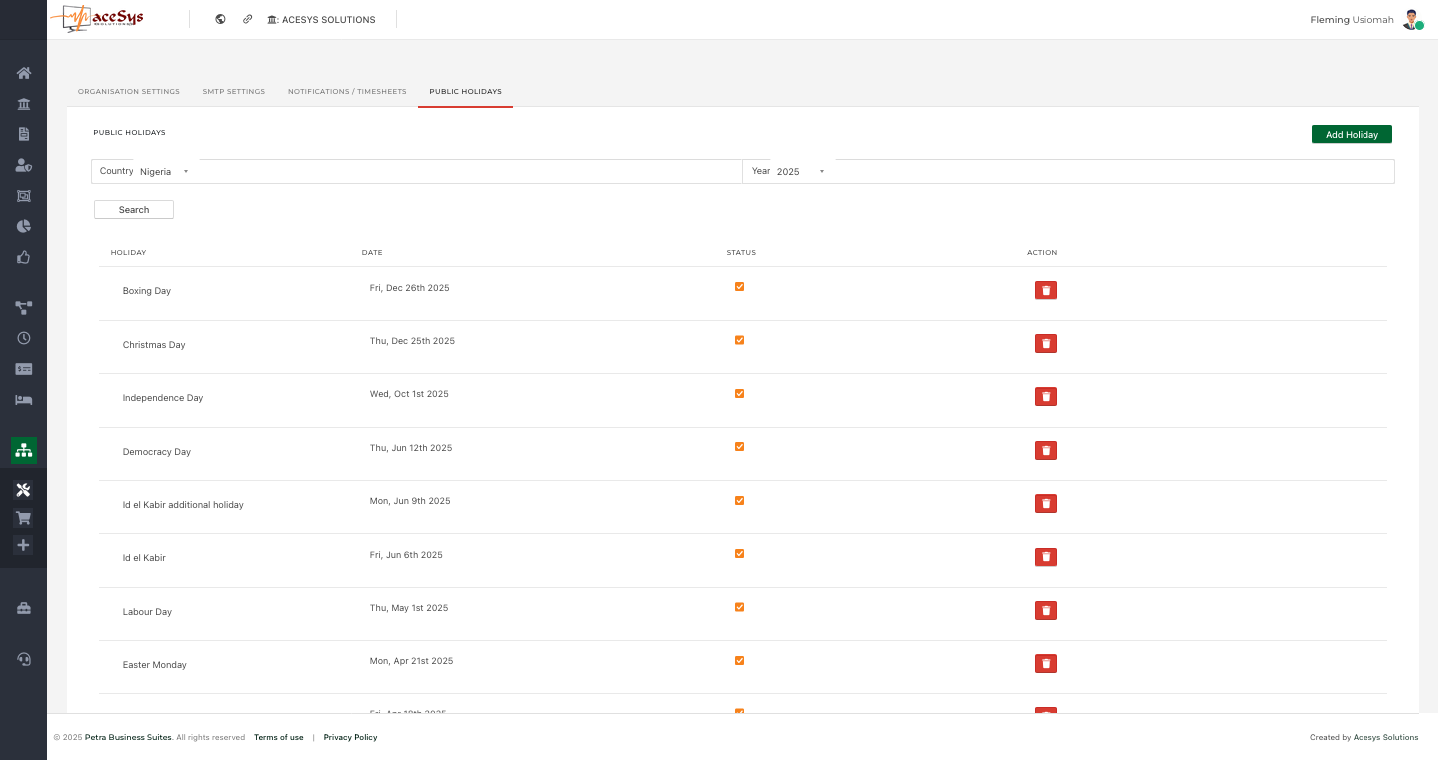
(See Image: Organisation Holiday Settings)
The Public Holidays tab plays a crucial role in accurately calculating staff working hours and required time for payroll or reporting.
Admins can:
For example, Nigerian organisations can load all statutory holidays — such as Democracy Day, Independence Day, Christmas, and Eid celebrations — directly into their calendar. This helps Petra automatically adjust required working hours for affected periods.
The configuration options in Petra Business Suites aren’t just administrative conveniences — they form the backbone of organisational accuracy. By fine-tuning branding, SMTP delivery, notifications, and holiday schedules, organisations can ensure:
Petra Business Suites simplifies organisational management through an all-in-one settings panel. From visual identity to operational policies and employee engagement workflows, every feature is built to save time, reduce manual errors, and keep your organisation running efficiently.
With these configurations in place, your Petra environment becomes a fully branded, policy-aligned workspace designed for productivity and precision.

Book a walkthrough and we will show how Petra connects the ideas in this article to real work tracking.
Petra Support
Share your details so our team can keep the conversation connected if you come back later.